



Spinanzia Login and Registration
Registered players use the Spinanzia Login to access their casino profile. Signing in restores the services linked to the account. New players must register before placing real-money wagers. Registration creates the credentials needed for the first login and links future account activity to one profile.



Create a Spinanzia Account
Registration records the information needed to identify the account owner. Users enter the personal details requested in the form. This information should be complete and accurate as it may be checked later at verification.
Applicants must meet the legal gambling age in their country. They must also accept the platform rules.
Complete the Registration Form
To create an account:
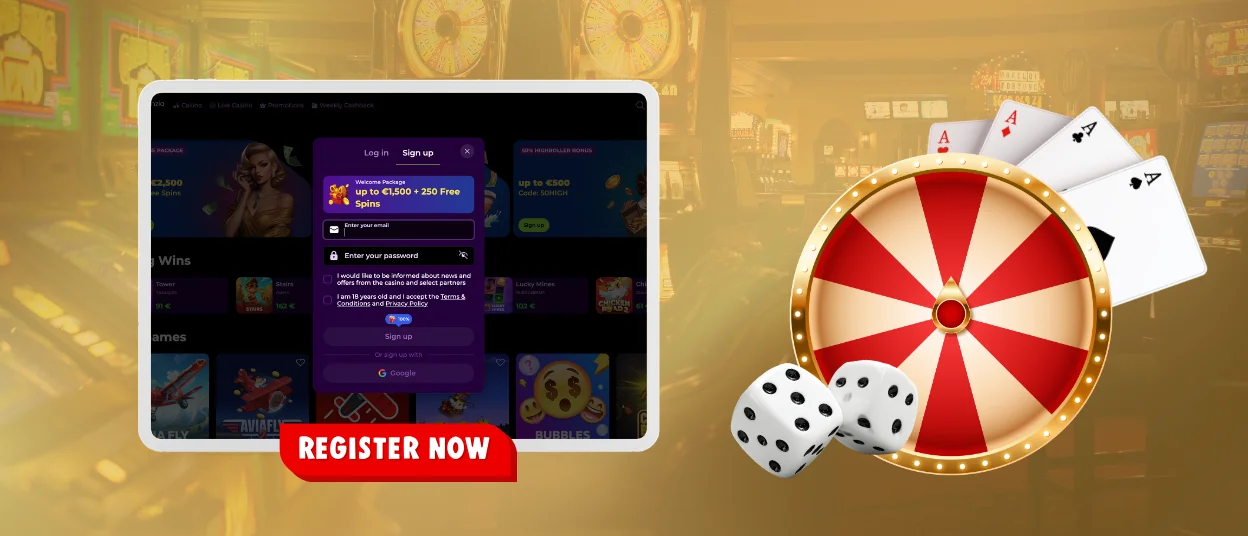
- Select the Sign Up button on the Spinanzia website.
- Enter an email address and create a password, or choose the available Google registration option.
- Provide the personal information requested in the form.
- Add a promo code if one is available.
- Accept the platform’s Terms and Conditions.
- Confirm the registration through the message sent to the supplied email address.
After email confirmation, the profile becomes available for login. A linked Google account can also be used when that option was selected during registration.
Using the Spinanzia Dashboard
Registered players can open the login form by selecting Log In on the website. The form requires the credentials chosen during registration. Players who created an account through Google can use the corresponding sign-in option.
A successful login opens the player dashboard. Available tools may allow players to:
- Check cash and bonus balances;
- Manage deposits and review payment activity;
- Update profile preferences and notification settings;
- View available promotions and loyalty rewards;
- Use responsible gambling controls.
The same profile can be accessed from supported computers and mobile devices. Balances and account preferences remain connected to the player rather than to one device.
Password Recovery and Login Restrictions
Spin Anzia provides a standard recovery option for players who cannot access their account. The table below shows the correct action for each situation.
| Situation | What to Do |
| Forgotten password | Select Forgot Password? on the Spinanzia login form. Enter the email address linked to the account and follow the instructions in the recovery message. |
| Recovery email not received | Confirm that you entered the registered email address correctly. Request a new message if necessary. |
| No access to the registered email | Contact support for assistance. The team may ask for information that confirms ownership of the account. |
| Temporary login restriction | Several unsuccessful attempts may temporarily restrict access. Contact support if the restriction remains. |
| Unrecognized login activity | Report the activity to support and follow the instructions provided to protect the profile. |
Identity Checks and Account Protection
Account verification confirms the player’s identity and supports secure payments and withdrawals. Spinanzia may request verification before the first withdrawal or when an additional account check is required.
The requested files can include:
- A valid identity document;
- Recent proof of address;
- Confirmation of the selected payment method.
Players can upload the requested files through the verification area and check the review status in their profile. Documents must be valid and readable. Each file must be for the registered account holder.
Use a strong and unique password to keep your account safe. Don’t store your credentials on a public machine.
Frequently Asked Questions
Can Google Users Set a Password for Email Login?
Yes. A player who registered through Google can open the account security settings and create a password. After confirmation, the registered email address and new password can be used as another login method.
When Can a Closed Account Be Reopened?
Depends on why the account is closing. Access may be restored after a cooling-off period or once a security problem has been resolved. Accounts closed for a major violation of the platform rules may not be restored.
However, the player should contact support to verify account status and determine if access can be restored.
How Can I Log Out From My Spinanzia Account?
Open the account menu. Select Log Out. Do not close the browser till the login page appears. Always be sure to log out after you are finished with your session, especially if you are using a public or shared computer.


